How I Use Claude Cowork to Run Globus.ai

I wanted to share how I use Claude Cowork to run my SaaS company — from meeting follow-ups and board presentations. Includes a free open-source template.
I Needed a System, Not a Chat Window
I run Globus.ai, an AI company. My days look like most CEOs of startups — I jump between sales calls, financial planning, marketing, investor updates, and the occasional home renovation crisis. I don't have a big team. What I do have is AI interest.
For a long time, I was using ChatGPT, Gemini and other text completion tools the way most people do: open a new conversation, paste in some context, get a decent answer, close the tab. Great efficiency boost, but not really handling the end to end workflow. The next task I'd start over. It felt like having a competent junio, but one who forgot much every time they left the room.
What I wanted was simple: a way to start and stop working with my AI where it always had the full context of what I was working on. My company knowledge, my contacts, my active projects, my preferences — all loaded automatically, every session. And I wanted one-shot results. Not "here's a draft, now spend an hour fixing it." I wanted to hand AI a meeting transcript and get back a follow-up task list and a customer presentation in our brand guidelines. Done.
Claude Cowork is great for handling tasks using AI agents. It has access to my local files and a ton of connectors and skills i can use. As I worked with it there were several things that didn´t work as I wanted.
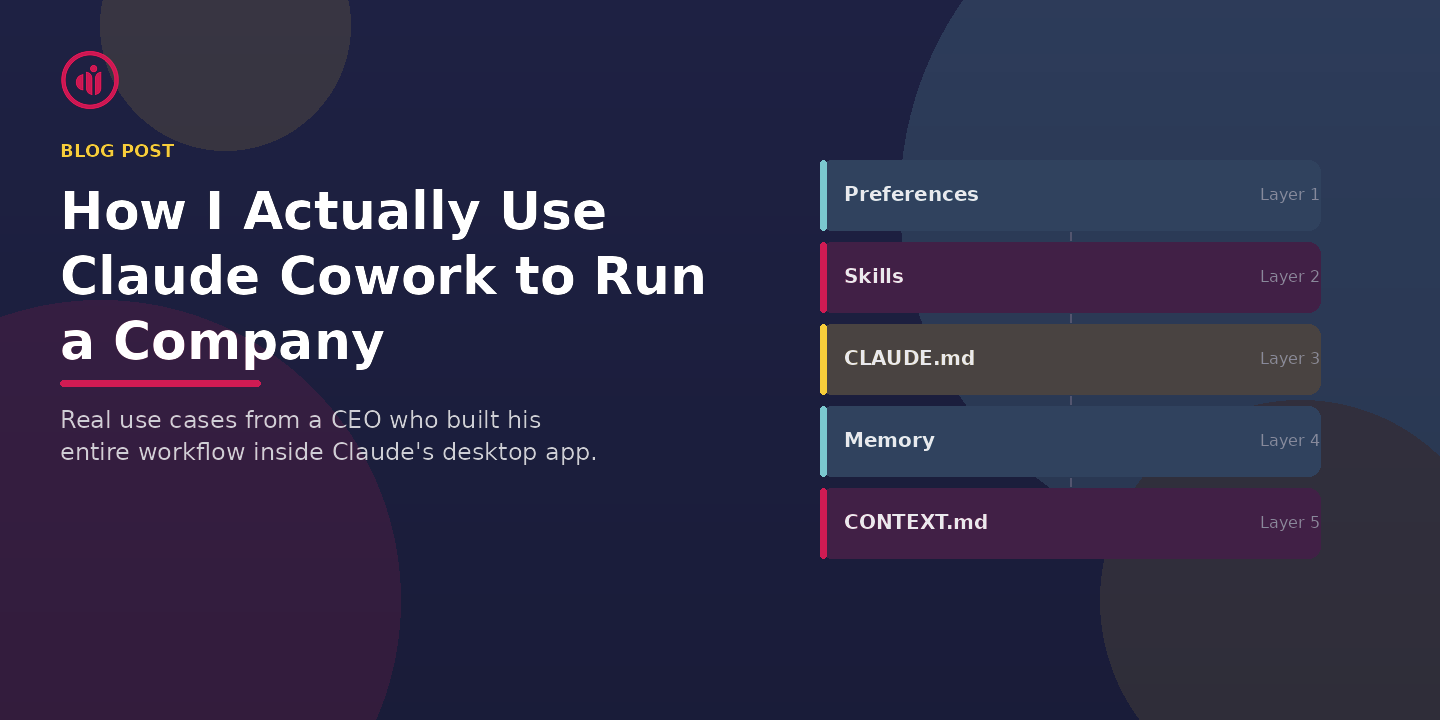
So I built a workflow system for Claude Cowork. And then I open-sourced it.
What This Actually Looks Like in Practice
Let me skip the architecture diagrams and just tell you what my week looks like.
Meeting Follow-ups That Write Themselves
On Tuesday I had a customer demo. Afterwards, I dropped the meeting transcript into my workspace and told Claude:
"Create follow-up tasks, draft a thank-you email, and build a summary presentation for the customer in Globus branding."
Ten minutes later I had all three. The presentation was styled correctly because Claude already knows our brand colors, logo placement rules, and slide structure — it's all in the workspace configuration. The tasks were added to my task tracker. The email matched our tone of voice because that's defined in the system too.
I didn't paste any context. I didn't remind Claude what Globus does. It already knew.
Budget and Board Materials
When it was time to prepare our 2026 budget and board presentation, I gave Claude our financial data, last year's actuals, and our growth targets. It built the financial model, created the budget narrative, and produced the board deck — all in one go. I refined a few numbers, but the structure and storytelling were solid from the first pass.
This is work that used to take me a full week. It took an afternoon.
Cleaning Up HubSpot
Our CRM was a mess. Duplicate contacts, stale deals, unassigned companies. I connected Claude to HubSpot and said: "Audit everything. Clean up duplicates, close dead deals, reassign orphaned companies, and give me a summary."
It processed 458 tasks, cleaned up 26 deals, and reassigned over 4,000 company records. I reviewed the summary, approved the changes, and moved on. Would have taken someone weeks to do manually.
Planning a Home Renovation
This one surprised me. I needed to plan a renovation project at home — new kitchen and bathroom. I told Claude what I wanted, and it didn't just create a project plan with timelines and budget estimates. It drafted emails to three local construction companies requesting quotes, using details from the project plan. I reviewed, sent them, and had offers within a week.
I've used the same approach for holiday planning. Give it the constraints (dates, budget, family preferences), and it produces itineraries, books research, and drafts any emails needed. It's not just planning — it's executing.
The Setup Takes 5 Minutes
The workspace template is on GitHub. You clone it, point Claude Cowork to the folder, and tell Claude to initialize. It will ask you questions about your work, your company, and your preferences — then set everything up for you.
From that point on, every new session starts with Claude reading your configuration and picking up where you left off. Your company context, your contacts, your active projects — it's all there.
You'll need a Claude Max or Team subscription (Cowork is a feature of the Claude desktop app).
If you've looked at tools like OpenClaw or Clawdbot, this gives you similar functionality — skills, memory, task management — but running entirely inside Anthropic's first-party app. No API keys, no self-hosting, no security surface to manage.
Something Big Is Happening
Matt Shumer wrote a piece this week called Something Big Is Happening that went viral. His core point: AI capabilities are improving so fast that most people haven't caught up to what's already possible. He described telling AI what he wants built, walking away for four hours, and coming back to find the work done.
I've experienced the same thing. Not with code (that's Shumer's world), but with the operational work of running a company. Sales follow-ups, financial models, marketing campaigns, customer presentations, CRM cleanup, board materials. The gap between what people think AI can do and what it actually does right now is enormous.
Shumer's advice is to spend one hour a day experimenting with AI. I'd add one thing to that.
My Pro Tip: Give It More Than You Think It Can Handle
Most people use AI for small, safe tasks. Summarize this. Draft that. Answer this question.
Try something different. Give Claude an end-to-end task. Not just "draft a follow-up email" but "take this meeting transcript, extract all action items, create tasks, draft the follow-up email, and build a 5-slide summary presentation in our brand template." Give it the whole job.
Will it nail it every time? No. But you'll be surprised how often it does. And here's the real trick: if it can't do it today, save that task as a benchmark. The next time a new model drops — and they drop every few months — try again. You'll see the improvement immediately.
AI agents are getting better very fast. The task that fails today will work in three months. The task that needs five corrections today will be one-shot in six months. If you're not regularly testing the boundaries, you're not keeping up with what's possible.
Use connectors. Experiment with integrations. See how much of the full workflow you can get Claude to complete — not just the easy middle part, but the messy beginning and the final delivery. That's where the real productivity gains are.
This Isn't About Replacing Anyone
I want to be clear about something. I'm not using Claude to replace my team. I'm using it to do the work that would otherwise not get done — the follow-ups that slip, the analysis that gets postponed, the CRM cleanup that nobody has time for, the board materials that eat a weekend.
For a small company, this is transformational. It's like having an operations team that works at the speed of thought.
And I think this is just the beginning. Six months from now, the system I've built will handle things I haven't even thought to ask it yet.
Get Started
The full workspace template is free and open source.
Clone the template on GitHub →
Set it up, customize it for your work, and see if it changes how you operate. That's the only test that matters.
Helge Bjorland is CEO of Globus.ai, an AI SaaS platform for staffing and recruitment. He built this workspace system to run his own company and decided to share it because more people should know what's possible with Claude Cowork right now.